Audio plugins · Free to download
Loud tools.
Zero price.
Five plugins for producers who push their mixes hard: a soft clipper, a multiband distortion, a one-knob mastering chain, a spectral compressor and a one-knob darkener. Free for Windows and Mac, no account, no catch.
Soft clipper
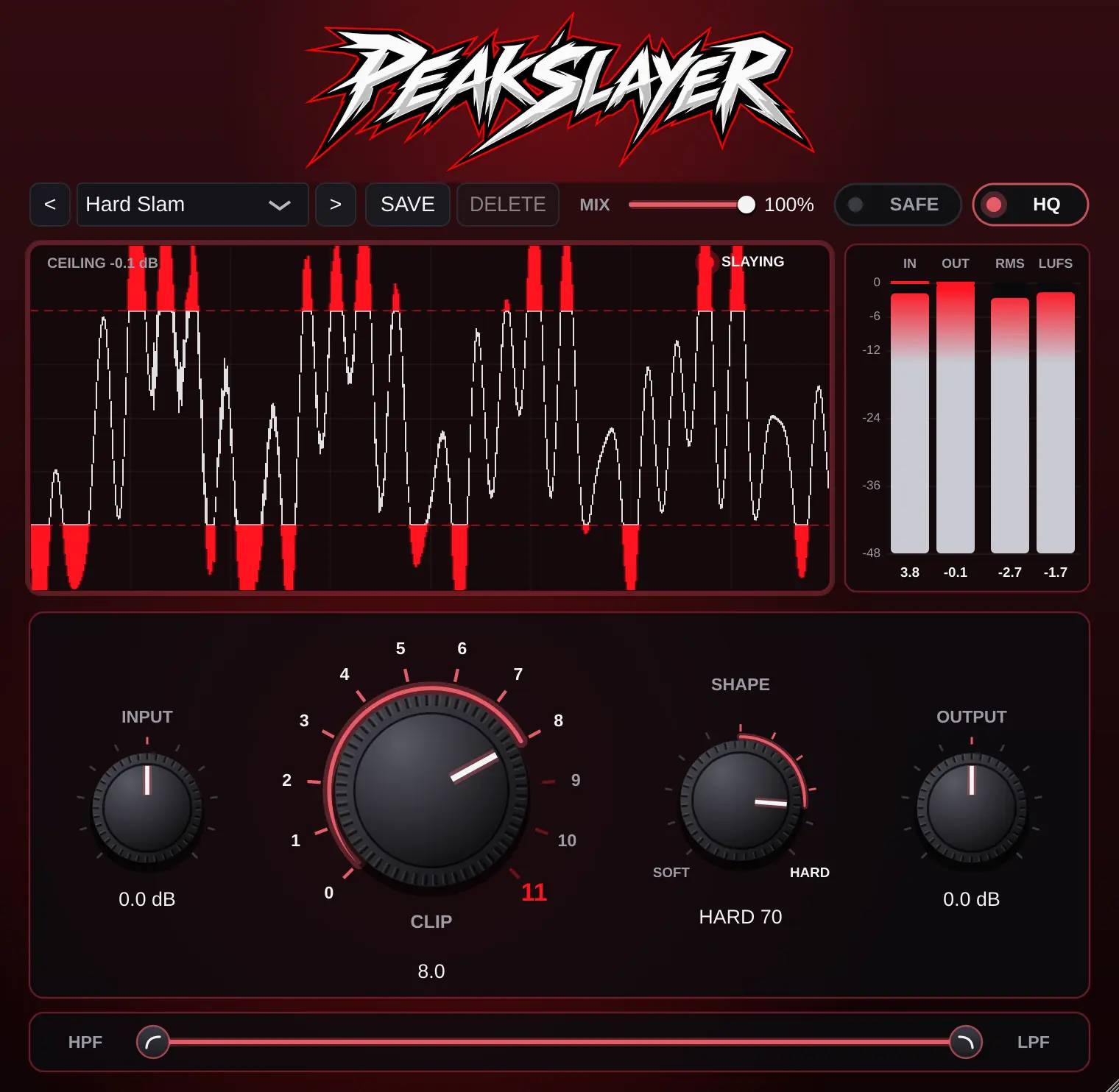
PEAKSLAYER
Shave the peaks off drums, buses and masters so everything sits louder without pumping. The CLIP dial goes from 0 to 11, and the display shows every sample it cuts in red.
- CLIP 0–11 with a SHAPE control from soft to hard knee
- Clip band: only the frequencies between the two filter handles get clipped
- HQ mode runs the clipper at 4× the sample rate to keep the top end clean
- SAFE adds a final hard limit at 0 dB after the output
- IN, OUT, RMS and LUFS meters plus a live waveform with the clipped parts marked
- Dry/wet MIX and five factory presets, from Soft Glue to To Eleven
- Format
- VST3, AU, Standalone
- System
- Windows, macOS
- Version
- 1.0.0
- Price
- Free
Free · Windows: .zip with the VST3 and the app · macOS: installer with AU, VST3 and the app, for Apple Silicon and Intel
Multiband distortion
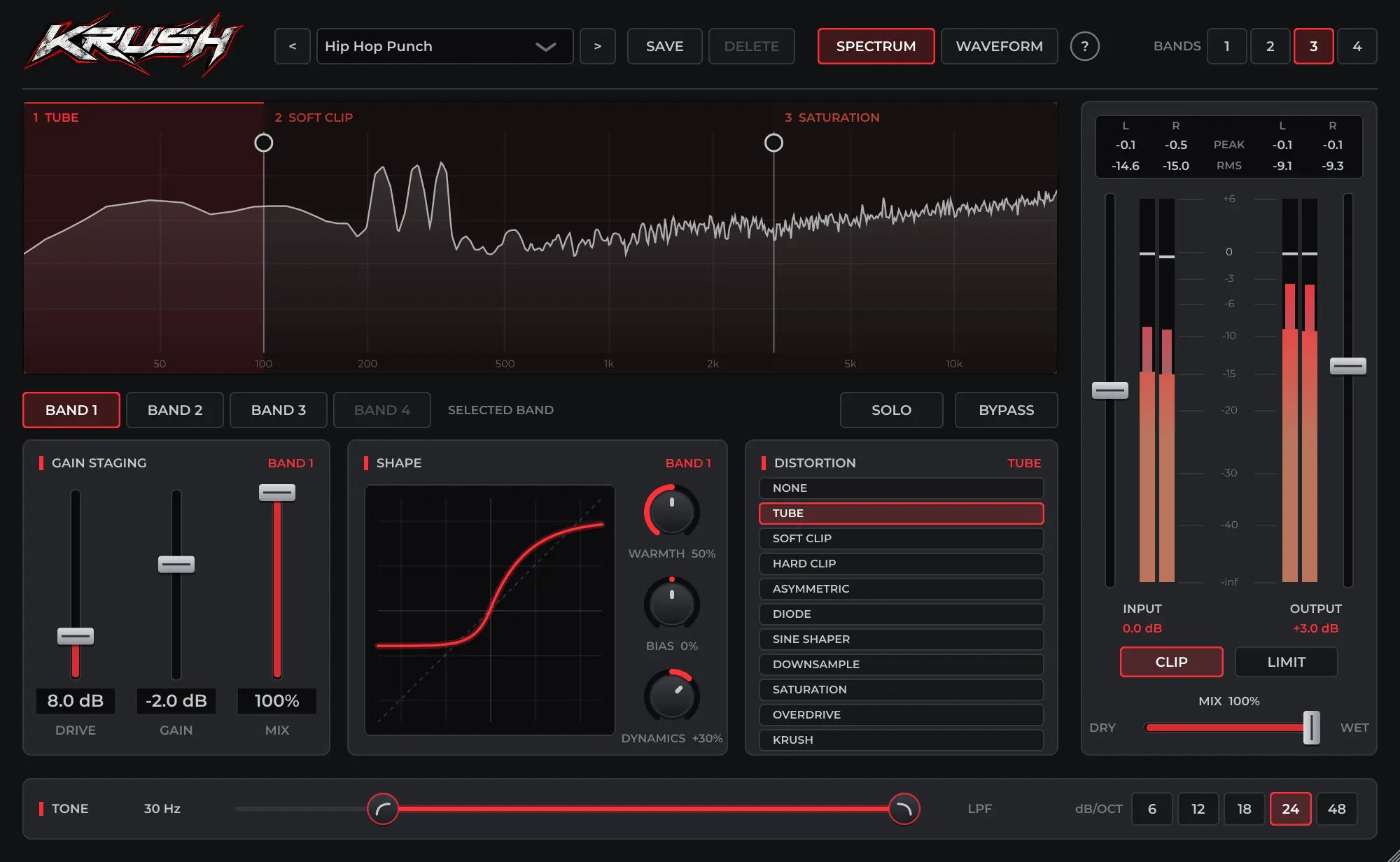
KRUSH
Split the sound into up to four bands and distort each one its own way: warm the lows, grind the mids, fizz the top. Drag the crossovers right on the spectrum.
- 11 modes per band, from Tube and Diode to Sine Shaper, Downsample and the signature Krush curve
- DRIVE, SHAPE and BIAS per band, with the transfer curve drawn live
- DYNAMICS brings back the punch that distortion flattens, or smooths the hits out
- TONE filter with 6, 12, 18, 24 or 48 dB per octave slopes
- CLIP and LIMIT on the output keep the peaks at −0.1 dB
- 11 factory presets with descriptions, including Clean Tape, Tube Amp and Hip Hop Punch
- Format
- VST3, AU, Standalone
- System
- Windows, macOS
- Version
- 1.0.0
- Price
- Free
Free · Windows: .zip with the VST3 and the app · macOS: installer with AU, VST3 and the app, for Apple Silicon and Intel
One-knob mastering
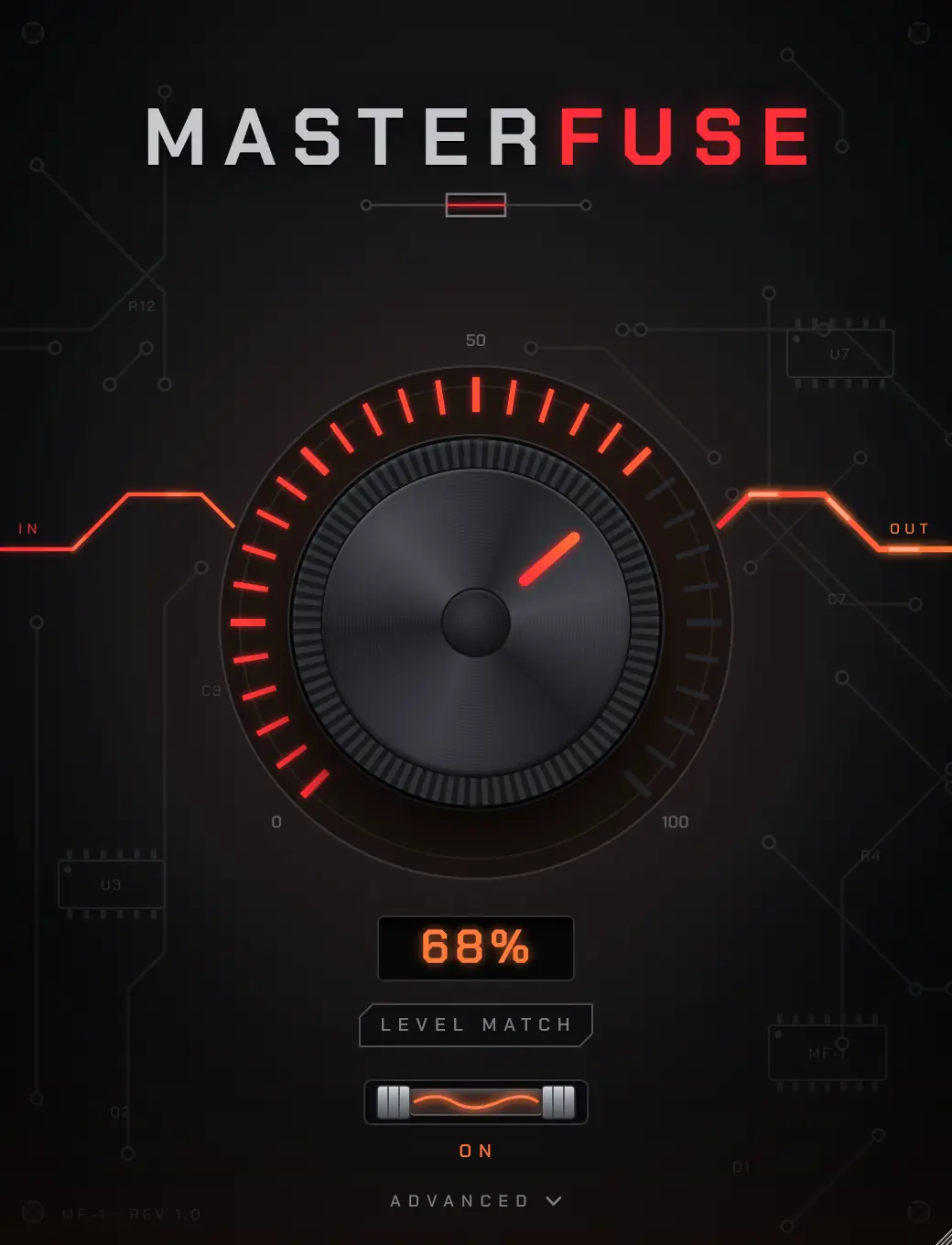
MASTERFUSE
A full mastering chain behind one knob. Turn it up and the board heats up with it: three-band compression, saturation, stereo width, air and a limiter, all moving together.
- One AMOUNT knob from untouched to fully mastered
- Three-band processing with compression, saturation and width on each band, plus an air boost
- Two-stage limiter with look-ahead for a clean, loud finish
- LEVEL MATCH plays it back at the original loudness, so you judge the sound, not the volume
- Advanced drawer with input, limiter gain and output
- Format
- VST3, AU, Standalone
- System
- Windows, macOS
- Version
- 1.0.0
- Price
- Free
Free · Windows: .zip with the VST3 and the app · macOS: installer with AU, VST3 and the app, for Apple Silicon and Intel
Spectral compressor
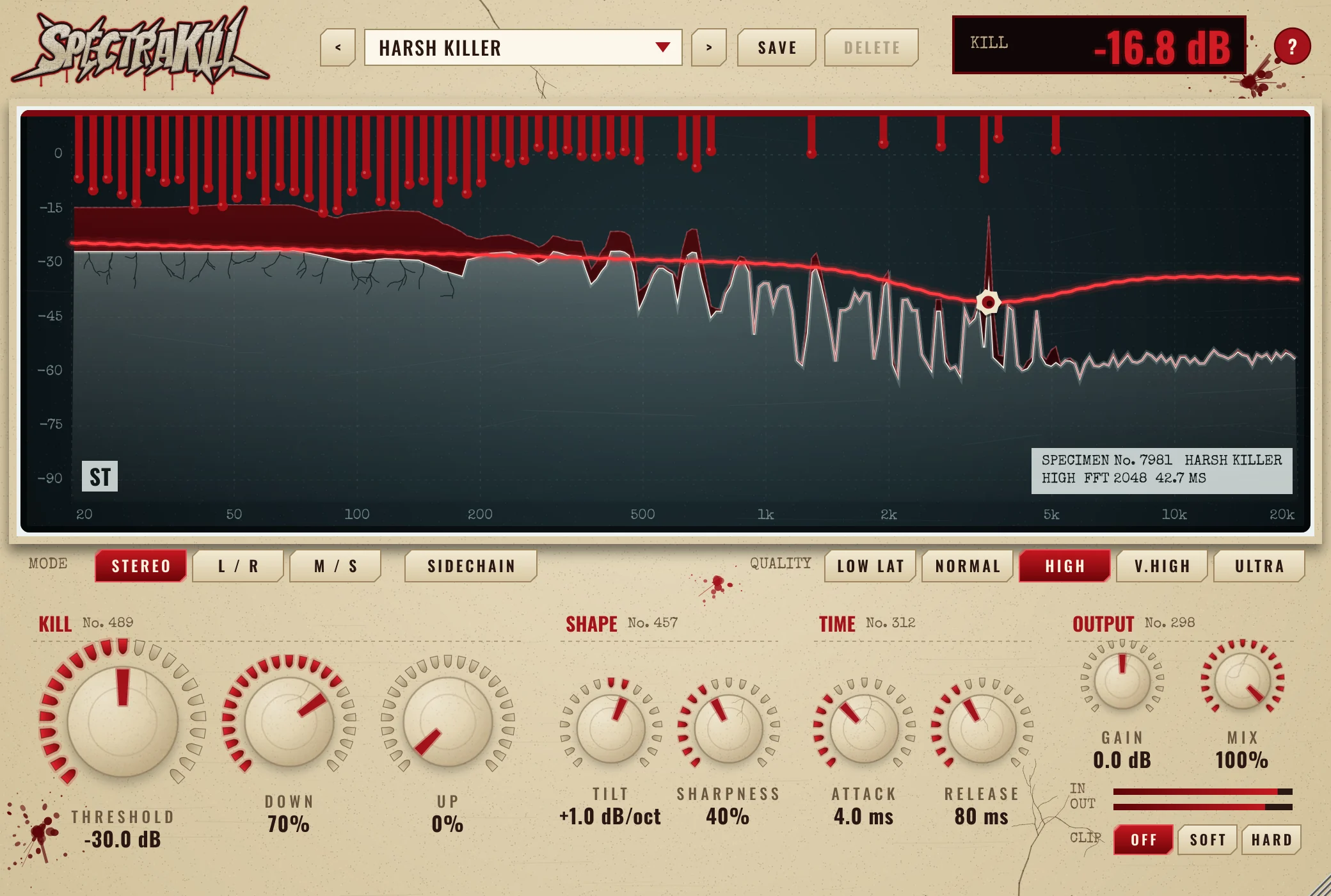
SPECTRAKILL
A compressor for every frequency at once. Harsh peaks, ringing resonances and boomy notes get pushed down only where and when they poke out, and quiet detail can be lifted up. You watch it happen on an X-ray of your sound.
- DOWN and UP: push down what pokes above the threshold and lift what sits below it, frequency by frequency
- Threshold curve with up to 8 draggable points, plus TILT and SHARPNESS
- ATTACK and RELEASE from 0.5 ms to 1 second, with a transient guard that keeps hits clean
- Five quality settings, from 11 ms low latency for drums to ULTRA for full mixes
- Stereo, L/R and M/S modes and a sidechain input for ducking a bass under the kick
- 12 factory presets with descriptions, including Drum Detail, Harsh Killer and Sidechain Duck
- Format
- VST3, AU, Standalone
- System
- Windows, macOS
- Version
- 1.0.0
- Price
- Free
Free · Windows: .zip with the VST3 and the app · macOS: installer with AU, VST3 and the app, for Apple Silicon and Intel
One-knob darkener
DARK
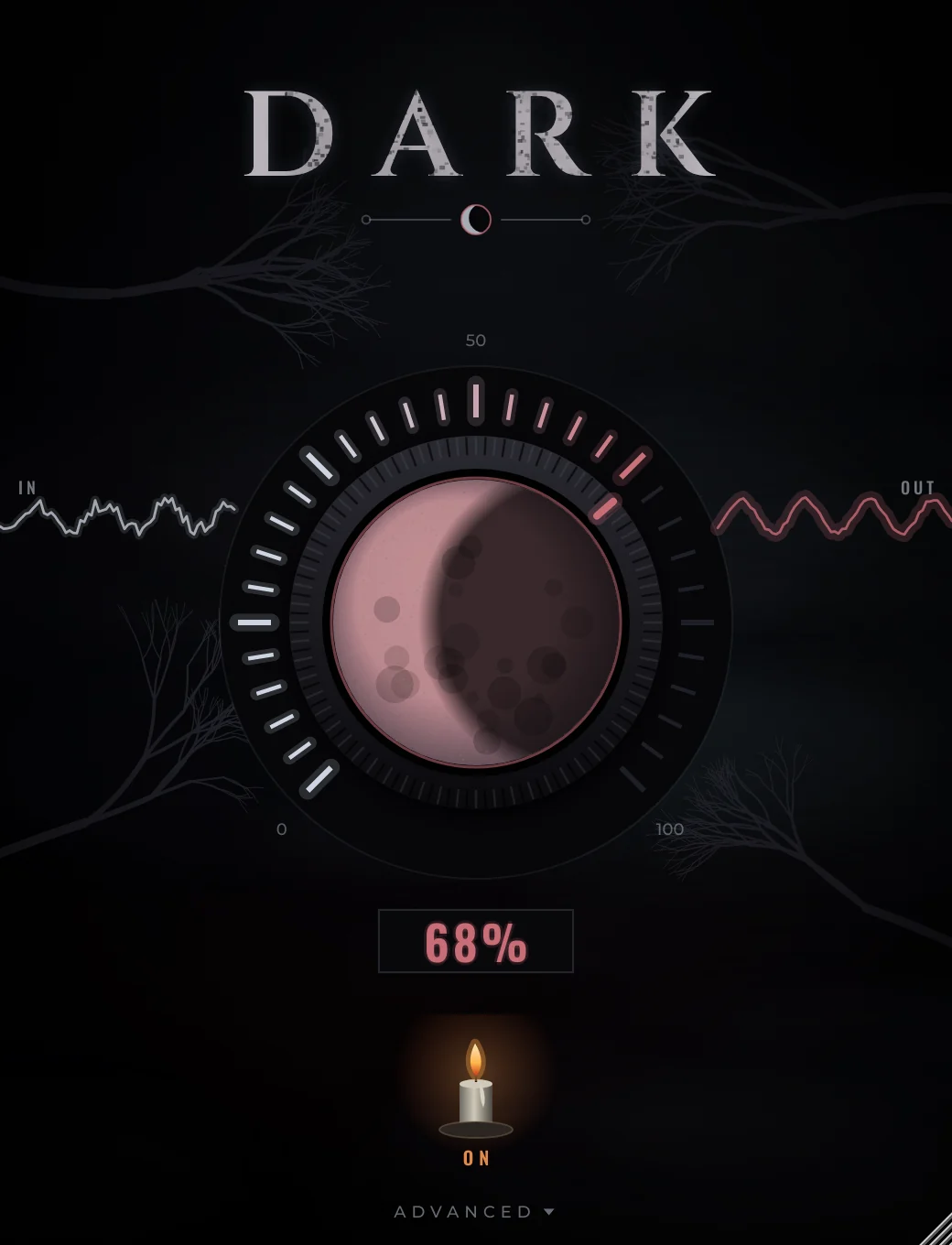
One knob that makes drums and bass darker, heavier and warmer. As you turn it, the moon slides into eclipse and the harsh top end sinks into the dark, while every hit still lands.
- One DARKNESS knob moves a tilt EQ, low-end weight, tape-style saturation and a closing low-pass together
- PUNCH keeps the attack of every hit bright while tails and cymbals go dark
- Mono low end: bass below 120 Hz folds to the centre as it darkens, so it stays solid on big systems
- Zero latency, so it works on live drums and while recording
- Advanced drawer with punch, mix and output
- Format
- VST3, AU, Standalone
- System
- Windows, macOS
- Version
- 1.0.0
- Price
- Free
Free · Windows: .zip with the VST3 and the app · macOS: installer with AU, VST3 and the app, for Apple Silicon and Intel
Installing
Up and running in a minute
Windows
Unzip
Open the downloaded .zip. Inside is the plugin (
.vst3) and a standalone app.Copy the .vst3
Move it to
C:\Program Files\Common Files\VST3, where every DAW looks for VST3 plugins.Rescan
In FL Studio: Options, Manage plugins, Find installed plugins. They show up under Noise Division.
Windows 10 or 11, 64-bit.
macOS
Open the installer
Double-click the .pkg. It installs the Audio Unit, the VST3 and the standalone app.
If macOS blocks it
Open System Settings, Privacy & Security, scroll down and click Open Anyway. This shows once, because the plugins aren't from the App Store.
Open your DAW
Logic and GarageBand find the AU on their next start. Ableton, FL Studio and Reaper use the VST3.
macOS 10.13 or newer, Apple Silicon or Intel.
Every plugin resizes from 60% to 200%: drag the bottom-right corner.
Support
Keep the plugins free
Everything here is free and stays free. If a plugin made it into your tracks and you want to say thanks, a donation pays for the time that goes into new plugins and updates.